
 oklch-pickerPlaygroundGitHub
An OKLCH colour picker that takes the gamut seriously
For React, Preact, Vue, Svelte, Solid, Angular, Qwik, and for no framework at all. Zero runtime dependencies. The component is ~6.5 kB gzipped, and the colour maths alone is ~2.5 kB.
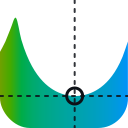
Every axis is a slider over a gamut cross-section: the filled silhouette is the range that can actually be shown, so the reachable colours are visible instead of something you discover by dragging into a region that does nothing.
Why
Most pickers work in HSV and convert. If your design tokens are already OKLCH, that round-trip is lossy and the controls do not map onto what you store. This one works in OKLCH directly:
- The chroma slider is bounded by what is reachable. The sRGB gamut is a lopsided solid in OKLCH, so peak chroma depends on both lightness and hue. A fixed
0..0.37slider is up to87% dead travel at low lightness: the thumb moves and the colour does not change. Here the maximum is recomputed as the other axes move, so 95 to 100% of the track does something. - Out-of-gamut regions are hatched, on every axis. Lightness is unreachable at both ends at high chroma, and hue can be unreachable in the middle. A single boundary marker will not do.
- Nothing out-of-gamut is ever emitted. Values are clamped by reducing chroma, keeping lightness and hue.
Push chroma up on the picker above and most hues cannot sustain it. The hatching and the notice both say so.
Install
npm install @oklch-picker/reactnpm install @oklch-picker/vuenpm install @oklch-picker/sveltenpm install @oklch-picker/solidnpm install @oklch-picker/angularnpm install @oklch-picker/qwiknpm install oklch-pickernpm install oklch-pickerimport { useState } from "react";
import { ColourPicker } from "@oklch-picker/react";
import "@oklch-picker/core/styles.css";
export function Example() {
const [colour, setColour] = useState("oklch(0.7 0.15 255)");
return <ColourPicker value={colour} onChange={setColour} />;
}<script setup>
import { ref } from "vue";
import { ColourPicker } from "@oklch-picker/vue";
import "@oklch-picker/core/styles.css";
const colour = ref("oklch(0.7 0.15 255)");
</script>
<template>
<ColourPicker v-model="colour" />
</template><script>
import { ColourPicker } from "@oklch-picker/svelte";
import "@oklch-picker/core/styles.css";
let colour = $state("oklch(0.7 0.15 255)");
</script>
<ColourPicker bind:value={colour} />import { createSignal } from "solid-js";
import { ColourPicker } from "@oklch-picker/solid";
import "@oklch-picker/core/styles.css";
export function Example() {
const [colour, setColour] = createSignal("oklch(0.7 0.15 255)");
return <ColourPicker value={colour()} onChange={setColour} />;
}import { Component, signal } from "@angular/core";
import { ColourPickerComponent } from "@oklch-picker/angular";
import "@oklch-picker/core/styles.css";
@Component({
selector: "app-example",
standalone: true,
imports: [ColourPickerComponent],
template: `
<oklch-colour-picker [value]="colour()" (valueChange)="colour.set($event)" />
`,
})
export class Example {
readonly colour = signal("oklch(0.7 0.15 255)");
}import { $, component$, useSignal } from "@builder.io/qwik";
import { ColourPicker } from "@oklch-picker/qwik";
import "@oklch-picker/core/styles.css";
export const Example = component$(() => {
const colour = useSignal("oklch(0.7 0.15 255)");
return (
<ColourPicker
value={colour.value}
onChange$={$((c: string) => (colour.value = c))}
/>
);
});---
import "@oklch-picker/core/styles.css";
---
<oklch-picker value="oklch(0.7 0.15 255)"></oklch-picker>
<script>
import "oklch-picker/register";
</script><link rel="stylesheet" href="https://esm.sh/@oklch-picker/core/styles.min.css" />
<oklch-picker value="oklch(0.7 0.15 255)"></oklch-picker>
<script type="module">
import "https://esm.sh/oklch-picker/register";
</script>Where next
- Install, covering every package and the 0.2 migration
- Layouts, four arrangements, all live
- Wider gamuts, P3 and Rec. 2020 as output spaces
- Playground, every prop with code you can copy
- API, generated from the type declarations
Browser support
Preset swatches need oklch() in CSS. That means Chrome/Edge 111+, Safari 15.4+, Firefox 113+. The charts, tracks and previews are computed to hex, so they render anywhere.